


How to Buy a Virtual Credit Card with Crypto (2026)
Buy a virtual credit card with crypto — USDT, BTC and more, no bank account. Compare fees, follow the steps, and get a reloadable US Visa or Mastercard.
On this page 9 sections
- What is a virtual credit card you buy with crypto?
- Why buy a virtual card with crypto instead of a bank card?
- How to buy a virtual credit card with crypto (step by step)
- Virtual card with crypto vs a bank card vs a crypto gift card
- Which Qwikvcc card should you choose?
- What does it cost? Fees, FX and funding
- Will my virtual card be accepted? (and why prepaid cards sometimes get declined)
- Popular ways people use a crypto-funded virtual card
- Buy a virtual credit card with crypto — FAQ
Your bank card just got declined on another US website — or you don’t have a card that works for international payments at all. Maybe you run ad campaigns and want the spend off your personal account, or you just don’t want every subscription site holding your real bank details. A virtual credit card you buy with crypto fixes all of that in a few minutes.
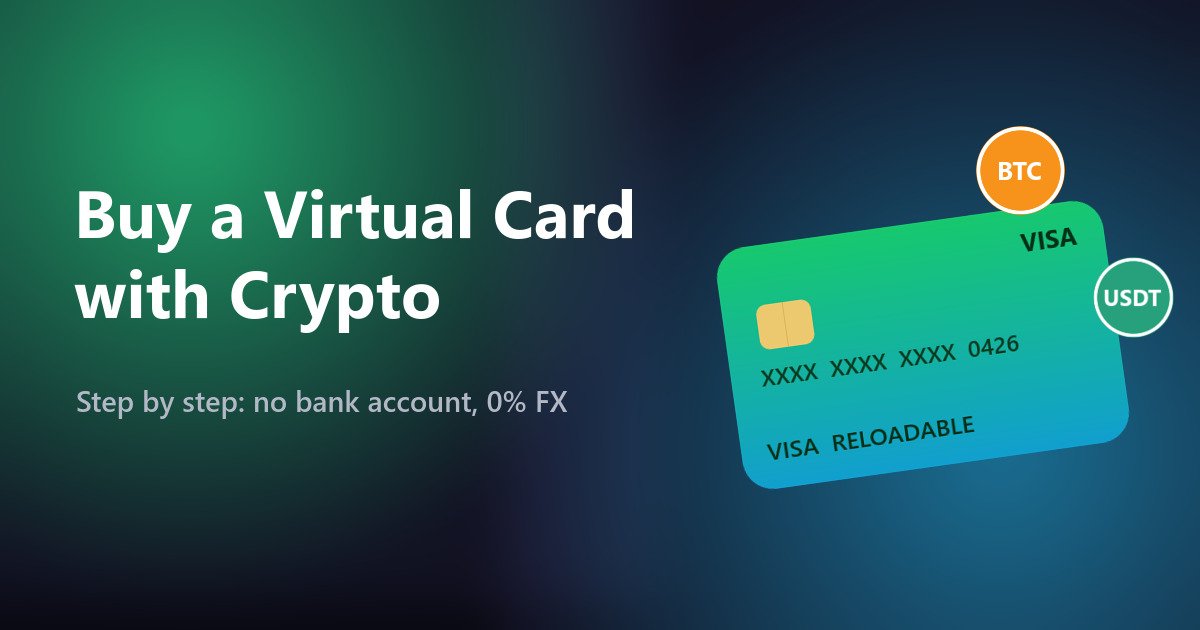
Short answer: A virtual credit card bought with crypto is a prepaid Visa or Mastercard you fund with coins like USDT or BTC instead of a bank account. You pick a card, pay with crypto, and the card number appears in your dashboard instantly — ready for online checkouts, subscriptions, ad platforms, and Apple Pay or Google Pay.
This guide shows exactly how it works, what it costs, which card to pick, and how to avoid the declines that trip people up — using Qwikvcc cards as the worked example. No bank account, no waiting, no hidden FX markup.
Comparing providers first? See our honest comparison of the best virtual cards for crypto.
What is a virtual credit card you buy with crypto?
A virtual credit card (VCC) is a card that exists only as a number — a 16-digit Visa or Mastercard with an expiry date and CVV, but no plastic. A crypto-funded VCC is simply one you buy and top up with cryptocurrency rather than linking a bank account.
With Qwikvcc, the card is a US-issued, reloadable virtual Visa or Mastercard. You load your balance with USDT, BTC and other coins, buy the card, and the full details land in your dashboard right away — never by email. From there it behaves like any other card online: enter the number at checkout, or add it to your Apple Pay or Google Pay wallet.
Why buy a virtual card with crypto instead of a bank card?
It’s not about replacing your bank — it’s about the jobs a bank card does badly:
- No bank account or US card? You still get paid access. Fund with crypto and you have a working US Visa/Mastercard — useful if your local card is refused by US services or you simply don’t have one.
- 0% FX fees. Spending across currencies, your bank quietly adds 1–3% on every charge. Qwikvcc cards carry no foreign-exchange markup, so the price you see is the price you pay.
- Your real card stays private. A prepaid virtual card keeps your main bank number off the websites you pay. If a merchant is breached, your actual account isn’t the one exposed, and the most anyone can touch is the balance you loaded.
- Clean budget separation for media buyers. Running Facebook/Meta or other ad campaigns? Keep that spend on a dedicated reloadable card so your ad budget never touches your personal or business account — and it’s easy to reconcile.
- Subscription-friendly. Because the card is reloadable, you keep a few months’ balance on it and recurring charges go through automatically.
How to buy a virtual credit card with crypto (step by step)
The whole flow takes a few minutes and needs no bank — here’s exactly what happens:
- Create your Qwikvcc account.
Sign up with just an email — no bank details, no credit check, no paperwork. - Add crypto to your balance.
Send USDT, BTC or another supported coin to your deposit address. Your balance updates as soon as the payment confirms on-chain. - Choose your card and buy it.
Pick a reloadable US Visa or Mastercard (or a currency card) and pay for it straight from your crypto balance. - Get your card details instantly.
The full card number, expiry and CVV appear in your dashboard right away — never sent by email. - Pay online, or add it to your wallet.
Enter the card at any checkout, or add it to Apple Pay / Google Pay for one-tap payments. - Reload before it runs low.
Top the card up when the balance gets low so subscriptions and ad campaigns keep running without interruption.
Virtual card with crypto vs a bank card vs a crypto gift card
| Regular bank/debit card | Crypto gift card | Qwikvcc virtual card | |
|---|---|---|---|
| Buy & fund with crypto | No | Yes | Yes (USDT, BTC & more) |
| No bank account needed | No | Yes | Yes |
| Instant delivery | Days (posted) | Usually | Instant, in dashboard |
| Reloadable | Yes | No (one-time) | Yes |
| FX fees | 1–3% typical | Varies | 0% FX |
| Add to Apple/Google Pay | Usually | Rarely | Yes |
| Good for subscriptions | Yes | No | Yes (keep a balance) |
Which Qwikvcc card should you choose?
- US reloadable Visa / Mastercard — the all-rounder for US-based services, SaaS and ad platforms. Pick the Virtual Visa Reloadable or the Mastercard Reloadable Classic, add it to Apple/Google Pay, and reload as needed.
- Currency cards (TRY, ARS, UnionPay) — when a merchant bills in Turkish lira, Argentine peso or via UnionPay, paying with a card in that currency avoids conversion surprises. Browse the currency cards and match the card to where you’re paying.
- Subscription / AI-ready cards — reloadable cards built to sit on recurring plans. If you’re paying for AI tools, see our Claude-ready reloadable card.
What does it cost? Fees, FX and funding
- FX: 0% foreign-exchange markup — you don’t pay the hidden 1–3% a bank adds on cross-currency spend.
- Funding: you top up with crypto (USDT, BTC and more); network fees depend on the coin and chain you choose.
- Card price & reload: each card shows its own price and reload terms on its card page — no surprise charges buried in the small print.
Will my virtual card be accepted? (and why prepaid cards sometimes get declined)
Qwikvcc cards are real US-issued Visa/Mastercard, so they work across most online checkouts. When any prepaid card is declined, it’s almost always one of these — and all are fixable:
- Billing address mismatch. Enter the address exactly as registered to the card, including ZIP/postal code. This is the most common cause.
- Region not matched. Line the account country up with the card’s region — a US card with a US billing country is smoothest.
- 3-D Secure / OTP not completed. Finish the confirmation step and don’t refresh mid-checkout.
- Not enough balance. A prepaid card declines the instant the balance can’t cover the charge — top up before renewal day.
- Merchant doesn’t take prepaid. A few services (certain API billing, some banks’ verification holds) don’t accept prepaid cards. That’s a merchant rule, not a card fault — our BIN checker tells you whether a card is prepaid before you load a large amount.
Be realistic: a virtual card clears the payment step, but it doesn’t bypass a merchant’s own identity checks (KYC). Where a service asks you to verify who you are, you still complete that as yourself.
Popular ways people use a crypto-funded virtual card
Facebook & Meta ad budgets
Media buyers load a dedicated reloadable card so ad spend stays separate from personal and business accounts — cleaner reconciliation and a fixed cap per card. (Always follow each platform’s own billing and advertising policies; a virtual card is a budgeting tool, not a way around account rules.)
Online shopping privacy
Pay unfamiliar stores with a prepaid card instead of your main bank card. Your real account number never reaches the merchant, and your exposure is capped at the loaded balance.
No bank account / digital nomads
Fund from crypto you already hold and get a spendable US card without opening a bank account — handy when you’re between countries or your local banking is limited.
SaaS & AI subscriptions
Keep a few months’ balance on a reloadable card and let monthly tools charge automatically — from design apps to AI subscriptions like Claude.
Buy a virtual credit card with crypto — FAQ
What does a crypto virtual card cost, and are there hidden fees?
There’s the card price and reload shown on each card page, plus the crypto network fee for funding. There is no FX markup on spending. Nothing is buried — the card page states the terms before you buy.
Do I need a bank account or ID verification to buy one?
No bank account — you fund with crypto. Buying the card itself is quick; just note that individual merchants may run their own identity checks when you pay them, and a virtual card doesn’t remove those. Qwikvcc does not sell “no-verification” access to any service.
Will the card actually be accepted where I want to use it?
Qwikvcc cards are US-issued Visa/Mastercard and work on most online checkouts, and can be added to Apple Pay / Google Pay. A handful of services don’t take prepaid cards at all — check the merchant first, keep your billing address and region consistent, and keep enough balance loaded.
Which cryptocurrencies can I use to buy a card?
You can fund your balance with USDT, BTC and other supported coins, then buy any card from that balance.
Can I add a Qwikvcc card to Apple Pay or Google Pay?
Yes — the card can be added to your Apple Pay or Google Pay wallet for tap-to-pay online and in apps.
Is it reloadable, or one-time?
Reloadable. Top it up whenever you like, which is what makes it work for ongoing subscriptions and ad campaigns rather than a single purchase.
Qwikvcc issues prepaid virtual Visa and Mastercard funded with cryptocurrency. Card availability, fees and merchant acceptance can change; see each card page for current terms. A virtual card handles payment only and does not bypass any merchant’s identity or eligibility checks. Last updated October 2026.